1. What is Destination Control?
Destination control (also known as Destination Dispatch) is an advanced elevator dispatching system designed to optimise efficiency and passenger flow within a building. Unlike conventional systems where users press a button to call an elevator and select their floor inside the car, destination control requires passengers to input their desired floor at a kiosk or keypad before boarding.
2. How do I use Destination Control?
The Elevate Dispatch Destination Control system functions via a tablet interface. At each floor there will be a minimum of one tablets. These will typically be installed in between lifts.
When you approach a tablet you will be greeted with the following interface. Identified in the image are the following:
- Grey highlighted button - this represents the floor you are currently on
- Shortcut Floor - quick access button for a regularly used floor
- Keypad - this brings up a keypad for users to type in the required floor
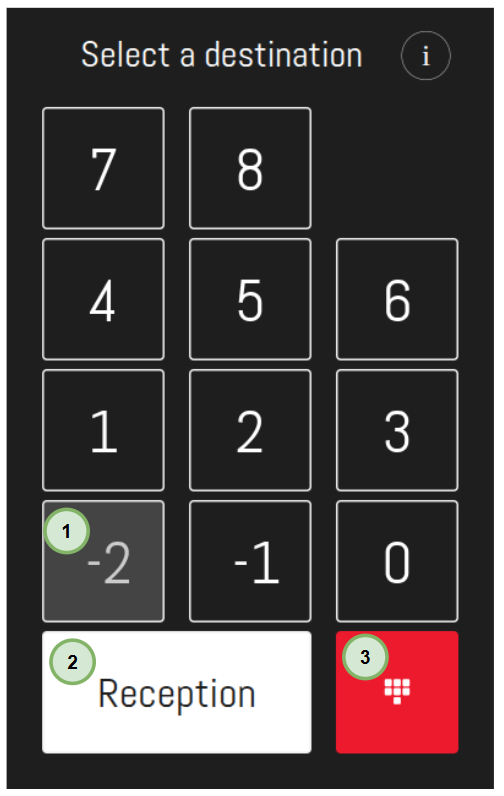
Select which floor you would like to go to by touching the relevant button on the tablet screen.
The dispatcher will tell you which elevator to use and point you towards it:
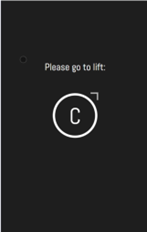
The elevators have flags above each of their landing doors. The flag will be lit to indicate that the elevator is due and will be stopping, and it will flash when it is about to arrive.
3. Revision and Document Control
| Field | Detail |
| Last Reviewed | 09/06/2026 |
| Revision | 1.0 |
| Next Review Date | 09/06/2027 |
Was this article helpful?
That’s Great!
Thank you for your feedback
Sorry! We couldn't be helpful
Thank you for your feedback
Feedback sent
We appreciate your effort and will try to fix the article